# How To Setup Google Authorship - Connecting Your Google Profile To Your Content
date: 20 July 2013 read: ~1 min tags: How-To
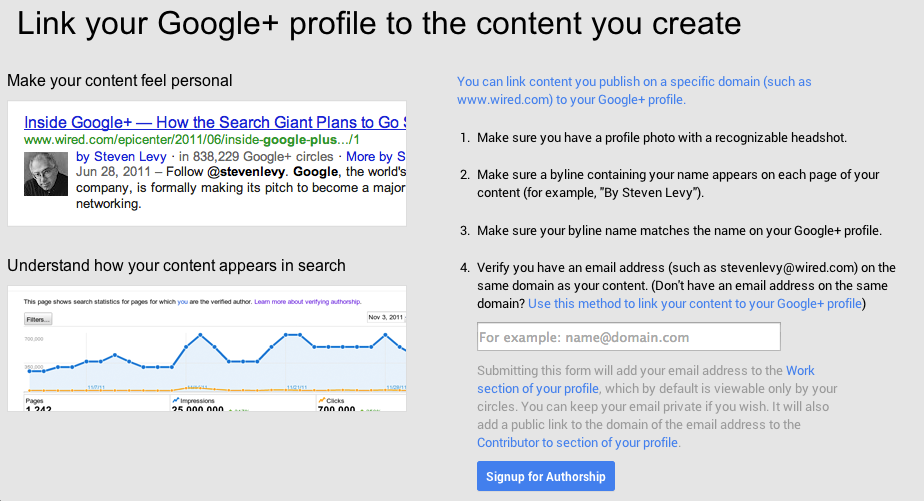
If you publish real content on the web you can now put a face to your name and confirm you are a real person (by real content I mean REAL! – NOT some spun rubbish to claim back links – yes SEO cheats you know who you are!).
In this video I will show you how to setup Google Authorship for your content. If you publish content online then now is the time to start connecting your content to your Google+ profile.
What Is Google Authorship?
Google Authorship is a way you can add a personal touch to your content on the web. Once setup your Google profile image will start appearing next to your content in Google search results.
Links
Benefits
-
Your content is more likely to be clicked in search results compared to sites not using Google Authorship
-
Helps begin relationship building
-
Confirms the content is produced by real humans and not bots
-
Takes less than 1 minute to setup if using Genesis for WordPress
So have you already setup Google Authorship?
I’m David Frosdick a content marketer & course creator. I spend my days working with OptimizePress, coaching clients, producing online courses, digital products and generally seeing what’s working online with marketing. Thanks for visiting my blog and feel free to contact me if you have any questions.